

Xilisoft Video Cutter goes beyond the simple cutting or slicing process and allows you to convert your input video files between a wide range of popular codecs. You can convert the entire source file or a specific fragment, leaving out all those unwanted parts that sometimes get in the way (TV commercials, trailers, etc.).
AVI, MPEG, MP4, WMV, 3GP, MOV, and ASF are only a few of the many video codecs supported, both for the input and the output. Output file formats are neatly organized by type and device – thus, you can either select your preferred video format or let the program to apply whatever codec it considers to be the most convenient for your iPod, iPhone, iPad, Android device, BlackBerry, PS3, Xbox, or Wii. But before getting to the stage of having to decide on the output format to use, we need to tell the program which part of the original video file will be converted (or not).
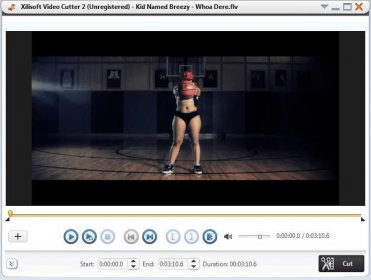
The program’s main interface is nothing but a clean and empty panel that transforms itself into a large video player as soon as we select one of the supported input files. The player itself comes with all the basic controls required to play back, pause and stop the video, as well as those needed to define the start and end points of the new video in the most accurate way. Though the program is unable to cut segments from different input files in batches, you are allowed to slice the selected source video in as many clips as necessary in one single operation.
The resulting segments will retain as much as possible of the quality of the original source video, even when transcoding is involved in the process.





Comments